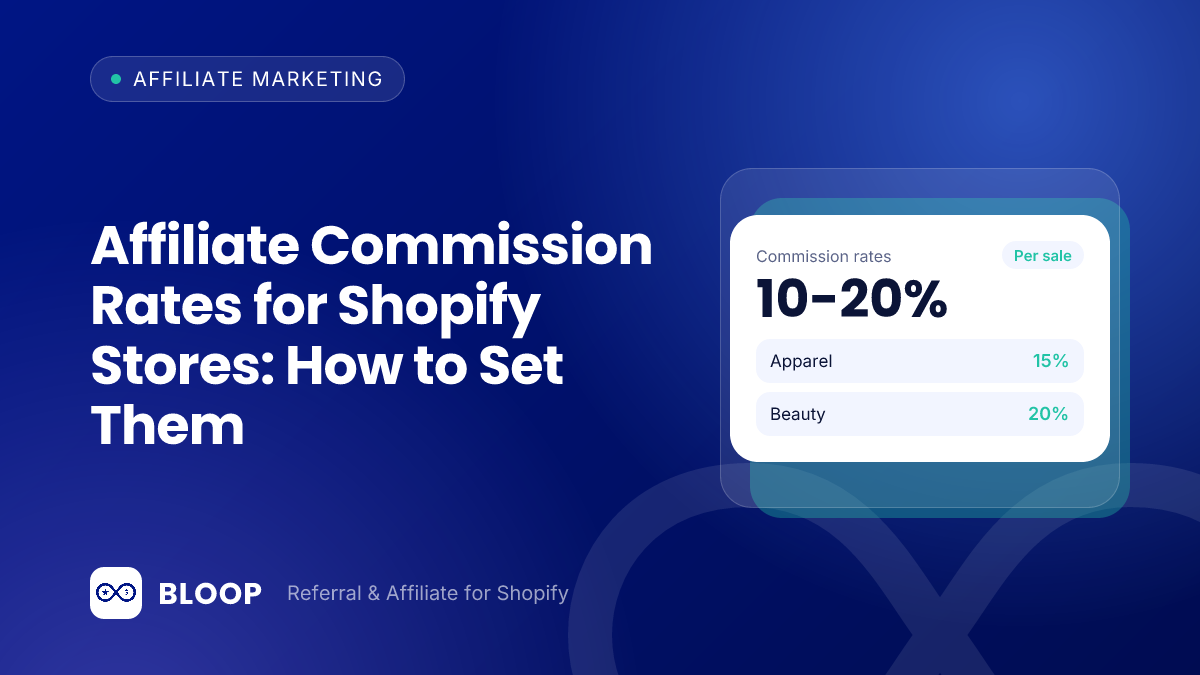
The right affiliate commission rate for a Shopify store is the one that gives away only a fraction of the profit on each order, not a round number like 10% or 20%. Work out your gross profit per order, decide what share of it you can spend (a quarter to a third is a workable starting point), then convert that dollar amount into a percentage or a flat fee.
Key takeaways
- Start from profit, not from revenue. The maximum safe rate is your margin multiplied by the share of profit you are willing to give away.
- Published rates differ widely. The public store programs we checked pay 10% to 20% of order value, and Amazon pays 0% to 10% by category.
- Measure on the discounted price. A discount code shrinks the profit, so the same percentage costs a larger share of it.
- Plan for returns. Approve commission only after your return window closes.
- Cap, exclude and start low. Leave shipping and tax out of the base, set a per-customer maximum and raise rates only for proven partners.
This guide is about affiliate partners: creators, bloggers and publishers who earn money by sending you buyers. If you want to reward your own customers for referring friends, the economics are different, and our guide to referral commission covers that. For a side-by-side look at the two models, see referral program vs affiliate program. If you have not launched yet, start with how to start an affiliate program on Shopify.
Start from gross profit, not from a rate
An affiliate commission is a customer acquisition cost that you only pay when a sale happens. That makes the ceiling obvious: you cannot pay out more than the order earns you. So the starting number is gross profit per order, not revenue. A simple three-step calculation gets you to a rate:
- Gross profit per order. Selling price minus product cost, the shipping you pay, payment fees and packaging. Use the price the customer actually pays after any discount code.
- Commission budget. The share of that profit you are willing to give away. A quarter to a third of gross profit is a cautious rule of thumb: the affiliate gets a meaningful payout and you keep most of the profit on every order they drive.
- Commission rate. Budget divided by order price.
The shortcut version is one line: maximum rate = margin x share of profit you will pay. A store with a 50% margin that is willing to pay one third of profit can afford 50% x 33.3% = 16.7%. A store with a 12% margin on the same terms can afford 12% x 33.3% = 4.0%. Here is what that looks like for four different products. The numbers are illustrative, not benchmarks.
| Product | Price | Gross margin | Gross profit | Budget (25% to 33% of profit) | Equivalent rate |
|---|---|---|---|---|---|
| Skincare set | $50 | 60% | $30 | $7.50 to $10.00 | 15.0% to 20.0% |
| Home goods | $80 | 50% | $40 | $10.00 to $13.33 | 12.5% to 16.7% |
| Footwear | $120 | 45% | $54 | $13.50 to $18.00 | 11.3% to 15.0% |
| Electronics | $400 | 12% | $48 | $12.00 to $16.00 | 3.0% to 4.0% |
The last row is the reason a single “standard” rate is risky. A 20% commission on the skincare set costs $10 and leaves $20 of profit. The same 20% on the $400 electronics item costs $80, which is more than the $48 the order earned. The first store can run a generous program. The second needs a flat fee or a very low percentage.
Account for the customer discount
Many affiliates share a discount code alongside their link. That lowers the order total, and your profit with it. Take the $50 skincare set with a 10% code: the customer pays $45, your gross profit falls from $30 to $25, and a 15% commission ($6.75) now takes 27% of the profit instead of 25%. On thinner margins that decides whether an order is worth having, so run the numbers on the discounted price.
Account for returns
Commission is only worth paying on orders that stay sold. The National Retail Federation reports that retailers estimate 15.8% of annual sales will be returned in 2025, totaling $849.9 billion, and that an estimated 19.3% of online sales will be returned. That is a retail-wide estimate, so check your own refund rate.
Suppose 100 affiliate orders of $50 earn 15% commission, which is $750 in total. If 19.3% of those orders came back after you paid, $750 x 0.193 = $144.75 would be spent on sales you no longer have. Holding commission as pending until your return window closes removes that loss.
A worked example, line by line
Here is the full calculation for one product, with every step shown. A store sells a candle set for $80. Affiliates share a code that gives the customer 10% off.
- Customer pays: $80 x 0.90 = $72.00.
- Product cost: $28.00. Shipping and packaging the store pays: $7.00. Payment processing, assumed here at 3% of the order: $72 x 0.03 = $2.16.
- Gross profit before commission: $72.00 – $28.00 – $7.00 – $2.16 = $34.84.
- Commission budget at one quarter of profit: $34.84 x 0.25 = $8.71. At one third: $34.84 / 3 = $11.61.
- Convert to a rate on the $72 order: $8.71 / $72 = 12.1% and $11.61 / $72 = 16.1%.
- Pick the low end and round down: 12%. Commission = $72 x 0.12 = $8.64, which is $8.64 / $34.84 = 24.8% of the profit. The store keeps $34.84 – $8.64 = $26.20.
The product has a 65% margin on its list price ($52 / $80), yet the rate that fits is 12%, because the discount, shipping and fees all come out before the affiliate is paid. Skip those costs and you overpay on every sale.
What public affiliate programs actually pay
Rate-setting is easier with reference points. The table below lists the terms printed on program pages that stores publish for would-be affiliates. These are real programs run through UpPromote and Refersion, not a statistical sample, so treat them as examples rather than an industry average. All terms are as of October 2026 and can change, so check the linked page before you copy anything.
| Program | Commission | Cookie window | Other terms on the page |
|---|---|---|---|
| Amore XY | 10% of gross sales | 30 days | $100 minimum balance before payout |
| The Nourish Market | 10% of order subtotal (before tax, shipping and fees) | 30 days | Refunded and charged-back orders are not paid |
| CSE Merch Store | 10% of referral sales | 30 days | Paid manually after the 30-day return period expires |
| Weilaiya Australia | 20% of order value excluding shipping | 30 days | First-time affiliates must sell at least 5 products in a month |
| TouchPoint Solution | $10 flat per kit | 30 days | Orders must be $135 or more to qualify |
Three patterns stand out. First, the percentage programs cluster at 10%, with one at 20%. Amore XY’s page offers a 10% commission on all gross sales and a $100 minimum balance before payout, and The Nourish Market’s page says affiliates receive a 10% commission on total referral sales, calculated on the order subtotal before tax, shipping and additional fees. Second, all five rows use a 30-day cookie. Third, the stores write their exclusions into the offer, and the CSE Merch Store page says commission is paid after the 30-day return period.
TouchPoint Solution is the counterexample. Its affiliates receive $10 for every TouchPoint kit, only on orders of $135 or more, with a 30-day cookie. A flat amount tied to a minimum order keeps the cost per sale fixed whatever the basket size.
Weilaiya Australia’s 20% is the high end of this group, and it comes with a hurdle: first-time affiliates must sell a minimum of 5 products within one month. Gating a rich rate behind a sales threshold avoids paying it to partners who never produce.
Not every program pays a percentage. Shopify’s own affiliate page says partners can earn up to $150 USD per qualified referral and that referrals are tracked for 30 days from the moment someone clicks the link. That is a fixed bounty per referral rather than a share of an order, so it does not translate directly to merchandise.
What Amazon pays by category, and why it matters
Amazon’s published schedule is a clear example of rates set by category instead of one rate for everything. The Associates fee schedule lists 10.00% for Luxury Beauty, 4.00% for Apparel and Shoes, 3.00% for Home and Furniture, 1.00% for Grocery and Health & Personal Care, and 0.00% for Gift Cards. A selection of the rows:
| Category (Amazon fee schedule) | Commission rate |
|---|---|
| Luxury Beauty | 10.00% |
| Apparel, Shoes, Jewelry, Watches, Luggage | 4.00% |
| Toys, Furniture, Home, Beauty, Sports, Pets Products | 3.00% |
| Televisions, Digital Video Games | 2.00% |
| Grocery, Health & Personal Care | 1.00% |
| Gift Cards | 0.00% |
Source: the Amazon Associates commission schedule, as of October 2026. Most of its rates are far below what a brand with a 60% margin can pay, so do not copy them. Copy the logic: the schedule pays 2.00% on televisions and 10.00% on luxury beauty, so the rate changes with the product category, just as the electronics row of our margin table calls for a lower rate than the skincare row.
Amazon’s attribution rules are also worth reading as a model. Its Associates policies say a purchase counts when it happens within a single session that ends 24 hours after the click, that a product added to the cart can still qualify if the order is completed no later than 89 days after the initial click-through, and that the product must be shipped and paid for within 180 days of the purchase. A store can borrow the idea by keeping a short standard window and a longer one only for high-intent traffic.
Flat vs percentage vs hybrid commission
There are three ways to pay on an order. BLOOP campaigns support all three, under the names percentage of sales, fixed amount per order and fixed amount per item.
| Model | How it pays | Fits best | Watch out for |
|---|---|---|---|
| Percentage of sales | A share of the order, such as 15% | Healthy margins that stay similar across order sizes | A very large basket pays a very large commission |
| Flat per order | The same dollar amount on every order | Thin margins or high-ticket items | Less rewarding for affiliates who push bigger baskets |
| Flat per item | A fixed amount times the number of items | One product or a tight range with a known unit profit | Multi-unit orders multiply your cost |
Percentage is the easiest to explain to a prospective partner (“earn 15% on every sale”) and it scales with basket size, which suits stores with solid margins. Flat fees give you a predictable cost per sale. On the electronics example above, a flat $15 per order is 3.75% of the price ($15 / $400), inside the $12 to $16 budget, while a 15% percentage would pay $60 on an item that earned $48.
Hybrid models
A hybrid pays a small flat amount plus a smaller percentage. The flat part guarantees the partner something on small orders while the percentage still rewards a bigger basket. Here is a comparison for a store with a 50% margin:
| Order | Gross profit | 15% of order | Share of profit | Hybrid $5 + 5% | Share of profit |
|---|---|---|---|---|---|
| $40 | $20 | $6.00 | 30.0% | $7.00 | 35.0% |
| $90 | $45 | $13.50 | 30.0% | $9.50 | 21.1% |
| $200 | $100 | $30.00 | 30.0% | $15.00 | 15.0% |
| $400 | $200 | $60.00 | 30.0% | $25.00 | 12.5% |
The “15% of order” column is the plain percentage baseline. In the $90 row, 15% is $13.50 ($13.50 / $45 = 30.0%), while the hybrid pays $5 + (0.05 x $90) = $9.50 ($9.50 / $45 = 21.1%). The hybrid pays more than the percentage on small orders ($7.00 vs $6.00 at $40) and far less on large ones ($25.00 vs $60.00 at $400). It protects you against the large-basket problem, at the cost of being less exciting to partners who push premium customers.
Use tiers where they protect your margin
Tiers come in two different forms, and it helps to keep them apart.
Tiers by order value
A tiered structure sets order-value thresholds, each with its own rate. The order earns the rate of the highest threshold its total reaches. In BLOOP this is the “advanced” mode: you define levels, each with an order minimum and its own commission type and value.
Every tier has to hold up against your margin. Here is an example for a store with a 55% gross margin:
| Order total | Rate | Commission | Gross profit | Share of profit paid out |
|---|---|---|---|---|
| $60 | 12% | $7.20 | $33 | 22% |
| $100 | 15% | $15.00 | $55 | 27% |
| $200 | 18% | $36.00 | $110 | 33% |
Check each tier at the lowest order that qualifies for it, because that is where the rate takes the biggest bite. If the top tier pays more than a third of the profit, lower it or add a cap.
Also look at what happens right at a threshold. Suppose the levels start at $0 (12%), $100 (15%) and $200 (18%). A $99 order earns 12% x $99 = $11.88. A $100 order earns 15% x $100 = $15.00. So one extra dollar of basket adds $3.12 of commission. At the next step, a $199 order earns 15% x $199 = $29.85 and a $200 order earns 18% x $200 = $36.00, a jump of $6.15. That cliff gives the affiliate a reason to promote bundles, but confirm the top tier still fits your margin: at 55% it does, since $36.00 / $110 = 32.7%.
Tiers by partner
The second form is a separate campaign for your best partners. In BLOOP every affiliate belongs to exactly one campaign, and the campaign holds the commission structure, so a common pattern is a standard campaign for new sign-ups and a higher-rate one for proven performers. Start lower than you think you need to: raising a rate is easy, cutting a published one is not.
BLOOP also supports product-specific rates, which override the campaign rate for the products you list. The docs describe this as a plan-gated feature, so check that your plan includes it before you build around it. The docs add that they support percentage or per-item formats only, not a flat per-order amount.
Sensitivity: what each rate costs at each margin
Before you publish a rate, check it against a range of margins rather than a single one. Each cell is the commission as a share of gross profit (rate divided by margin). A cell above 33% is a signal to lower the rate or switch to a flat fee.
| Commission rate | 30% margin | 40% margin | 50% margin | 60% margin | 70% margin |
|---|---|---|---|---|---|
| 5% | 16.7% | 12.5% | 10.0% | 8.3% | 7.1% |
| 10% | 33.3% | 25.0% | 20.0% | 16.7% | 14.3% |
| 15% | 50.0% | 37.5% | 30.0% | 25.0% | 21.4% |
| 20% | 66.7% | 50.0% | 40.0% | 33.3% | 28.6% |
| 25% | 83.3% | 62.5% | 50.0% | 41.7% | 35.7% |
For example, 15% / 40% = 37.5%, which is already past a third of profit. The same 15% on a 60% margin is 25%. A discount code lowers the margin and raises every cell, and the table ignores returns, so read it as a best case.
Find your margin column, then go down to the highest rate whose cell stays under your chosen share. At a 40% margin, 10% costs 25.0% of profit, while 15% costs 37.5%. You can test your own figures in the free referral ROI calculator.
Pick a cookie window that matches how people buy
The cookie window is the number of days a click stays credited to an affiliate. If a shopper clicks an affiliate’s link and buys inside the window, the sale counts for that affiliate. BLOOP’s default is 30 days, and you can change it per campaign. All five store programs listed earlier use it too.
The trade-off is straightforward:
- Short window (for example 7 to 14 days). Credits only quick purchases. It suits impulse buys but can feel stingy to partners whose audiences take their time.
- Long window (for example 60 to 90 days). Rewards the partner who planted the first seed, which fits considered purchases, but you also pay on more sales that might have happened anyway.
- 30 days. A reasonable middle ground when you are not sure.
To choose, look at how long your customers usually take between first visit and purchase, and set the window slightly above that. If you run campaigns for different kinds of partners, a longer window can live in its own campaign instead of applying to everyone.
Decide what the rate applies to
A rate is only half of the calculation. The other half is the base it is applied to. By default BLOOP calculates commission on what the customer paid: product prices after discounts, plus shipping, taxes and tips. Inside a campaign you can exclude any of these, as well as specific products or collections. The docs call excluding shipping and taxes a common first move because they do not generate profit.
Excluding shipping and tax is usually the right first move, because that money never lands as profit. A 15% rate on an order that includes $12 of shipping and $8 of tax overpays $3 on every order for no reason: 15% x ($12 + $8) = $3.00. Weilaiya Australia leaves shipping out of its base, and The Nourish Market leaves out tax, shipping and additional fees.
Two more guardrails are worth setting before you recruit anyone:
- A per-customer cap. A percentage rate scales without limit, so a single large order can pay more than it earned. At 15%, a $2,000 order pays $300. BLOOP lets you set a maximum commission per customer, counted across all of that customer’s orders. With a maximum of $100, that order pays $100 and later orders from the same customer pay nothing more.
- A sensible approval rhythm. By default BLOOP creates a commission when the order is paid, or when it is fulfilled if you choose that trigger, and holds it as pending until you approve it. Approve after your return window closes. A cancelled or fully refunded order is revoked automatically, but a commission that has already been paid is never revoked.
Payouts, tax paperwork and disclosure
The rate is not the whole cost of running the program. Three practical items belong in your budget before the first payout.
- Payout schedule and minimum. Amore XY’s page, for example, holds payment until a minimum balance of $100. BLOOP records payouts but does not move money: you send the transfer through your bank or PayPal and then record it, and the docs suggest a minimum threshold of $25 to $50 to avoid tiny transfers and their fees.
- Tax reporting. In the United States, a business that pays affiliates as independent contractors may have to file Form 1099-NEC. The IRS instructions state that for tax years beginning after 2025, the minimum threshold for reporting certain payments increased to $2,000 and may be adjusted for inflation beginning in calendar year 2027. Ask your accountant how it applies to your partners.
- Disclosure. Affiliates must say they are paid. The FTC’s guidance for influencers says to disclose when you have any financial, employment, personal, or family relationship with a brand, and that financial relationships are not limited to money. Put a disclosure line in your affiliate terms.
Set your rates in eight steps
- Group your products by margin; similar margins can share a campaign.
- For each group, calculate gross profit per order on the discounted price, after shipping, packaging and payment fees.
- Multiply by 25% to 33% to get the commission budget, then convert it to a rate or a flat amount.
- Check the result against the sensitivity table. If a cell is above a third of profit, lower the rate or use a flat fee.
- Choose the model (percentage, flat per order, flat per item or a tiered/hybrid shape) and start at the low end of the budget.
- Exclude shipping, tax and tips, add a per-customer cap, and pick a cookie window.
- Publish the terms: rate, base, cookie, minimum payout and what is not paid.
- Review the first sales. Each sale in BLOOP stores a snapshot of the rule that applied. Raise rates for proven performers, not for everyone.
Putting it into practice with BLOOP
In BLOOP, all of the settings above live inside a campaign under Affiliate, then Campaigns: commission type and value, tiers, exclusions, the per-customer cap and the cookie window. Each approved affiliate gets a unique link and, optionally, a discount code, and you approve sales and record payouts from the dashboard. BLOOP does not move money itself, so you pay partners yourself and then record the payout. If a buyer’s email matches the affiliate’s own, the sale is held for your review, which helps with the self-referral problem. For the wider picture, see our guide to referral fraud.
On cost, the Free plan is $0 and includes 10 referee orders and 10 affiliate orders, enough to test one campaign. Premium is $59.90 per month with unlimited orders and comes with a 7-day free trial. You can compare the plans on the pricing page. More than 2,000 Shopify merchants use BLOOP, with 190+ ratings on the Shopify App Store.
If you are ready to build the program, take a look at the BLOOP affiliate program page and set up your first campaign with the margin math above.
Frequently Asked Questions
What is a good affiliate commission rate for a Shopify store?
There is no single good rate, because it depends on your margin. Calculate gross profit per order, give away a quarter to a third of it, and convert that into a percentage or flat fee. The public store programs listed above that pay a percentage pay 10% to 20% of order value, and BLOOP’s default campaign opens at 15%, which its docs describe as a starting point to confirm against your margin.
Should I pay a flat fee or a percentage?
Pay a percentage when your margin is healthy and similar across order sizes. Pay a flat fee per order or per item when margins are thin, orders are high-ticket, or you know the profit per unit and want a predictable cost per sale. A hybrid of a small flat amount plus a small percentage sits between the two.
How long should the cookie window be?
Match it to how long your customers take to decide. A 30-day window is a reasonable default and is what every store program in our table uses. Choose 7 to 14 days for impulse purchases and 60 to 90 days for considered or high-ticket purchases.
Can different affiliates earn different rates?
Yes. Create more than one campaign and assign each affiliate to one. A common setup is a standard campaign for new partners and a higher-rate campaign for proven performers.
When should I pay affiliates?
After the return window closes. Approving and paying earlier means you may pay commission on an order that is later refunded, and a paid commission cannot be revoked. A monthly payout with a minimum balance is a common rhythm.